
1. Introduction to Technical SEO
Technical SEO refers to the process of optimizing the technical aspects of a website so that search engines can crawl, index, and understand its content effectively. While content quality and backlinks are important for rankings, technical SEO ensures that search engines can actually access and process your pages.
If search engines cannot properly crawl or index a website, even the best content may never appear in search results. Technical SEO focuses on the infrastructure of a website, including site architecture, crawling rules, indexing signals, mobile compatibility, and metadata.
Understanding how search engines interact with your website is essential for ensuring that your pages appear in search results and reach their intended audience.
2. How Google Search Actually Works
Google Search operates by discovering web pages, analyzing their content, storing them in its index, and then ranking them when users perform searches. This process involves large-scale automated systems that continuously scan the web for new or updated content.
Google’s search system does not automatically know about every website. Instead, it relies on automated programs called crawlers to discover pages by following links across the internet.
Once discovered, pages are processed and stored in Google’s search index. When a user performs a search query, Google retrieves the most relevant pages from its index and ranks them based on hundreds of signals.
3. The Three Stages of Google Search
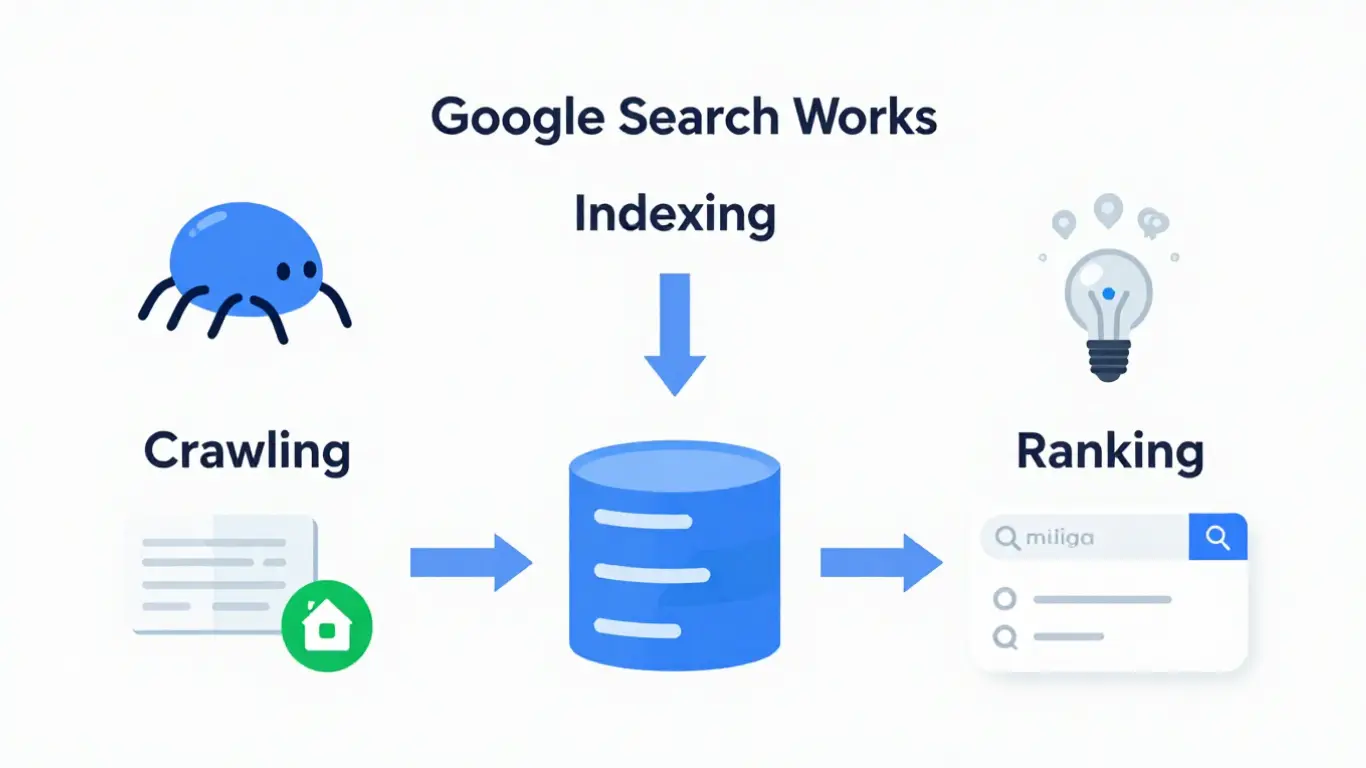
Google Search works through three primary stages that determine whether a webpage can appear in search results.
Crawling
Crawling is the process where Google’s automated programs, commonly referred to as Googlebot, discover web pages. Googlebot finds pages by following links from other pages or from submitted sitemaps.
Indexing
After a page is crawled, Google analyzes its content, images, and metadata. If the page meets Google’s quality and technical requirements, it may be stored in Google’s search index.
Ranking
When a user performs a search, Google retrieves relevant pages from its index and ranks them based on relevance, usefulness, and many other ranking signals.
4. Understanding Google Search Console (GSC)
Google Search Console is a free tool provided by Google that allows website owners to monitor how their site appears in Google Search results.
It provides valuable insights into crawling, indexing, and performance metrics for your website.
With Google Search Console, you can:
- Monitor which pages are indexed by Google
- Identify crawling errors
- Submit sitemaps
- Request indexing for new pages
- View search performance data
Using Search Console helps website owners understand how Google interacts with their website and identify issues that may prevent pages from appearing in search results.
5. Submitting Your Website to Google
Although Google can discover websites through links from other pages, submitting your website through Google Search Console helps ensure that Google becomes aware of your site more quickly.
The typical process involves verifying ownership of your website and then providing information about the structure of your site.
Once your website is verified in Search Console, you can submit important resources such as XML sitemaps and individual page URLs.
Submitting pages does not guarantee immediate indexing, but it helps Google discover and process new or updated content more efficiently.
6. XML Sitemaps and How Google Uses Them
An XML sitemap is a file that lists important pages on a website. It helps search engines understand the structure of a website and discover content more efficiently.
Sitemaps are especially useful for:
- Large websites with many pages
- New websites with few external links
- Websites with frequently updated content
- Sites where some pages are not easily discoverable through navigation
Submitting an XML sitemap through Google Search Console helps Google identify which pages should be crawled and considered for indexing.
However, including a page in a sitemap does not guarantee that it will be indexed. Google still evaluates each page based on its content quality and technical accessibility.
7. Robots.txt: Controlling How Search Engines Crawl Your Site
The robots.txt file is a simple text file placed in the root directory of a website that tells search engine crawlers which parts of the site they are allowed or not allowed to access.
Search engines check the robots.txt file before crawling a website. If the file contains rules that block certain directories or pages, crawlers will avoid accessing those locations.
Website owners typically use robots.txt to:
- Prevent crawling of administrative sections
- Block duplicate content areas
- Reduce unnecessary crawling of non-public resources
- Control crawler access to certain directories
It is important to understand that robots.txt controls crawling, not indexing. If a page is blocked from crawling but other pages link to it, search engines may still index the URL without accessing its content.
8. The Robots.txt Standard and Rules
The robots.txt file follows a standard format that search engine crawlers understand. The file contains directives that define how different crawlers should behave when visiting the site.
Common directives used in robots.txt include:
- User-agent – specifies which crawler the rule applies to
- Disallow – prevents crawling of a specific path
- Allow – explicitly allows crawling of a path
- Sitemap – provides the location of the XML sitemap
Example structure of a simple robots.txt file:
User-agent: *
Disallow: /wp-admin/
Allow: /wp-admin/admin-ajax.php

Sitemap: https://example.com/sitemap.xml
This example allows all crawlers to access the website while preventing access to the administrative area of the site.
9. Requesting Google to Re-Crawl Pages
Sometimes website owners need Google to revisit a page after it has been updated. This process is known as requesting a re-crawl.
Google Search Console provides a tool called the URL Inspection Tool that allows users to request indexing of specific pages.
The typical process involves:
- Opening Google Search Console
- Entering the page URL into the URL Inspection tool
- Checking the indexing status
- Requesting indexing if the page has been updated
Submitting a request does not guarantee immediate crawling, but it signals Google that the page has changed and should be reconsidered for indexing.
10. Mobile-First Indexing
Google primarily uses the mobile version of a website for indexing and ranking. This approach is known as mobile-first indexing.
Since most users access websites through mobile devices, Google evaluates how pages perform and appear on mobile screens.
To support mobile-first indexing, websites should ensure that:
- The mobile version contains the same content as the desktop version
- Important metadata is present on mobile pages
- Images and videos are accessible on mobile devices
- The website is responsive and adapts to different screen sizes
Websites that provide consistent content across mobile and desktop versions are more likely to be indexed correctly.
11. Page Metadata and Structured Information
Metadata helps search engines understand the purpose and structure of a webpage. Important metadata elements are included within the HTML of a page.
Common metadata elements include:
- Title tag – defines the page title shown in search results
- Meta description – provides a summary of the page content
- Canonical tag – identifies the preferred version of a page
- Structured data – provides additional information about the content
Providing accurate and consistent metadata helps search engines understand the page and present it correctly in search results.
12. Preventing Pages from Being Indexed
Not every page on a website should appear in search results. Some pages are meant only for internal functionality and provide no value to users coming from search engines.
Common examples include:
- Admin pages
- Login pages
- Cart pages
- Checkout pages
- Account or profile pages
- Internal search result pages
- Duplicate content pages
Allowing these pages to be indexed can create unnecessary entries in search results and may cause crawling resources to be wasted on pages that do not provide useful content.
Website owners can prevent indexing using several methods:
- Noindex meta tag placed in the page HTML
- X-Robots-Tag HTTP header
- Password protection for private areas
Unlike robots.txt, which controls crawling, the noindex directive specifically instructs search engines not to include a page in their search index.
13. Troubleshooting Crawling and Indexing Problems
Sometimes pages do not appear in Google Search results even after they have been published. This usually indicates a crawling or indexing problem rather than a ranking issue.
Google Search Console provides several reports that help identify such problems. The Page Indexing report shows whether a page has been crawled, indexed, or excluded from the index.
Typical issues that may appear include:
- Page blocked by robots.txt
- Page marked as noindex
- Redirect errors
- Server errors (5xx)
- Page not found (404)
By reviewing these reports, website owners can identify technical barriers preventing pages from being discovered or indexed.
14. Common Reasons Pages Are Not Indexed
If a page is crawled but not indexed, it may be due to technical or quality-related reasons. Google evaluates multiple signals before deciding whether a page should be included in its search index.
Common reasons pages may not be indexed include:
- Low-value or thin content
- Duplicate pages with similar content
- Pages blocked by robots.txt
- Noindex directives in metadata
- Poor internal linking
- New pages that Google has not discovered yet
Improving content quality, ensuring proper internal linking, and verifying technical settings can help resolve indexing issues.
15. Site Migration Without URL Changes
A site migration without URL changes typically occurs when a website changes its hosting environment, content management system, or infrastructure while keeping the same URLs.
In these situations, the goal is to maintain the existing structure so that search engines continue to recognize and index the same pages.
Best practices for such migrations include:
- Keeping the same URL structure
- Ensuring redirects are not introduced unnecessarily
- Maintaining the same internal linking structure
- Monitoring indexing status in Google Search Console
After migration, it is important to monitor crawling activity to ensure that search engines can still access the site correctly.
16. Site Migration With URL Changes
When a website changes its URL structure, proper redirection is essential to maintain search visibility and avoid losing indexed pages.
URL changes may occur when:
- A website moves to a new domain
- URL structures are redesigned
- A CMS migration changes page paths
In these situations, permanent redirects (301 redirects) should be implemented to guide search engines from old URLs to the new ones.
It is also recommended to update internal links, regenerate XML sitemaps, and monitor indexing status after the migration.
17. Best Practices for Technical SEO
Maintaining a technically healthy website helps search engines discover, understand, and index content effectively.
Important technical SEO practices include:
- Maintaining a clear site structure
- Using descriptive page titles and metadata
- Ensuring mobile-friendly design
- Providing XML sitemaps
- Monitoring indexing and crawl reports in Google Search Console
- Regularly fixing crawling errors
These practices ensure that search engines can access and evaluate website content efficiently.
18. How Internal Linking Helps Google Discover Pages
Internal links connect pages within the same website. They help both users and search engines navigate the structure of a site and discover additional content.
Google often discovers new pages by following links from already indexed pages. If a page has no internal links pointing to it, search engines may have difficulty finding it. Such pages are commonly called orphan pages.
Good internal linking practices include:
- Linking to important pages from other relevant pages
- Using descriptive anchor text that explains the destination page
- Organizing content into logical topic clusters
- Ensuring important pages are accessible within a few clicks from the homepage
Clear internal linking helps search engines understand which pages are important and how different pieces of content relate to each other.
19. Understanding Crawl Budget
Crawl budget refers to the number of pages Googlebot is willing to crawl on a website within a certain period of time. While crawl budget is usually not an issue for small websites, it becomes more important for large sites with thousands of pages.
Search engines try to crawl websites efficiently by prioritizing important pages and avoiding unnecessary crawling of low-value pages.
Crawl budget can be wasted when a site contains:
- Duplicate pages
- Large numbers of low-quality URLs
- Broken links or redirect chains
- Infinite URL parameters
Maintaining a clean site structure and avoiding unnecessary duplicate URLs helps search engines use crawl resources more efficiently.
20. Canonical URLs and Duplicate Content
Duplicate content occurs when similar or identical content appears at multiple URLs. Search engines may have difficulty determining which version should be indexed and shown in search results.
The canonical tag helps solve this issue by specifying the preferred version of a page.
A canonical tag is placed in the HTML header of a page and indicates which URL should be treated as the primary version.
<link rel="canonical" href="https://example.com/page-url/">
Using canonical URLs helps consolidate ranking signals and prevents duplicate pages from competing against each other in search results.
21. Page Experience and Core Web Vitals
Google evaluates the overall experience users have when interacting with a webpage. This includes performance, usability, and visual stability.
Core Web Vitals are a set of metrics that measure important aspects of user experience.
- Largest Contentful Paint (LCP) – measures how quickly the main content loads
- Interaction to Next Paint (INP) – measures how responsive the page is when users interact with it
- Cumulative Layout Shift (CLS) – measures visual stability while the page loads
Optimizing page speed, minimizing layout shifts, and ensuring responsive design help improve these metrics and create a better experience for users.
22. How to Check If Google Has Indexed Your Page
One of the simplest ways to verify whether a page is indexed is by using the site: search operator in Google.
Example:
site:example.com/page-url
If the page appears in search results, it means Google has indexed it.
A more reliable method is to use the URL Inspection tool in Google Search Console. This tool shows whether the page is indexed, when it was last crawled, and whether there are any indexing issues.
Regularly checking indexing status helps ensure that important pages are visible to search engines and available in search results.
23. Conclusion
Technical SEO focuses on ensuring that search engines can properly crawl, index, and interpret the content of a website.
By understanding how Google discovers and processes pages, website owners can build sites that are easier for search engines to access and evaluate.
Using tools such as Google Search Console, maintaining clean site architecture, and following best practices for crawling and indexing can help ensure that important pages appear in search results and reach the intended audience.
Frequently Asked Questions
What is technical SEO?
Technical SEO focuses on optimizing the technical aspects of a website so that search engines can crawl, index, and understand its content properly. It includes areas such as site structure, crawling rules, metadata, mobile compatibility, and page performance.
How does Google find new webpages?
Google discovers new pages through automated crawlers such as Googlebot. These crawlers follow links from existing pages and also use submitted XML sitemaps to identify new or updated content.
What is the difference between crawling and indexing?
Crawling is the process where search engines discover and scan webpages. Indexing occurs after crawling, when the search engine analyzes the page content and stores it in its search database so it can appear in search results.
What is Google Search Console used for?
Google Search Console is a free tool that helps website owners monitor how their site performs in Google Search. It provides information about indexing status, crawling errors, search performance, and allows users to request indexing for specific pages.
Do I need to submit my website to Google?
Google can discover websites automatically through links from other pages. However, submitting your website and sitemap through Google Search Console helps Google discover your content faster and monitor indexing issues.
What is an XML sitemap and why is it important?
An XML sitemap is a file that lists important pages on a website. It helps search engines understand the structure of the site and discover pages that might not be easily found through internal links.
What does a robots.txt file do?
The robots.txt file controls how search engine crawlers access different parts of a website. It can block crawlers from accessing specific directories or pages, helping manage crawling behavior.
What is mobile-first indexing?
Mobile-first indexing means Google primarily uses the mobile version of a website to determine how pages are indexed and ranked. Websites should ensure that their mobile version contains the same important content as the desktop version.
How can I prevent certain pages from appearing in Google search results?
Pages can be prevented from being indexed using a noindex meta tag or HTTP header. This is commonly used for pages such as login pages, cart pages, checkout pages, or other internal system pages.
Why are some pages not indexed by Google?
Pages may not be indexed due to issues such as low-quality content, duplicate pages, robots.txt blocking, noindex directives, poor internal linking, or because Google has not yet crawled the page.
What is internal linking and why is it important for SEO?
Internal linking connects pages within the same website. It helps search engines discover content and understand which pages are important. Proper internal linking also improves navigation for users.
What is crawl budget?
Crawl budget refers to the number of pages Googlebot will crawl on a website within a certain time period. Maintaining a clean site structure and avoiding duplicate URLs helps search engines crawl important pages more efficiently.
What is a canonical tag?
A canonical tag tells search engines which version of a page should be treated as the primary version when duplicate or similar pages exist. This helps consolidate ranking signals and avoid duplicate content issues.
What are Core Web Vitals?
Core Web Vitals are performance metrics used by Google to measure user experience. They evaluate page loading speed, interactivity, and visual stability to ensure pages load quickly and respond smoothly.
How can I check if Google has indexed my page?
You can check indexing status using the site: search operator in Google or by using the URL Inspection tool in Google Search Console, which provides detailed information about crawling and indexing status.