
Introduction
Creating a modern website used to require custom code, complex themes, and multiple plugins. Tools like Elementor have changed that approach by bringing visual website building directly into WordPress.
Elementor is one of the most widely used WordPress website builders, powering millions of websites worldwide. It provides a drag-and-drop editor that allows users to design pages visually without writing code.
This article explains what Elementor is, its main features, recent improvements, and the differences between the free and paid versions.
What Is Elementor?
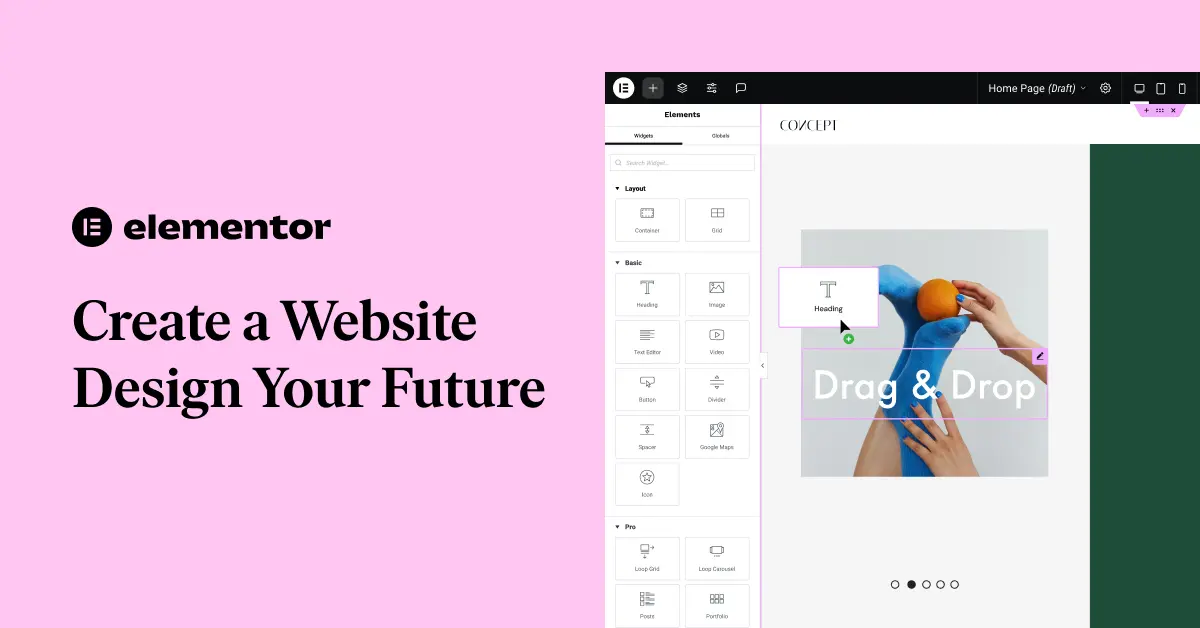
Elementor is a WordPress page builder plugin that enables visual website design inside the WordPress dashboard. Instead of editing code or modifying theme files, users can create layouts using a real-time drag-and-drop editor.
The plugin includes a visual interface where elements such as text blocks, images, buttons, and widgets can be added directly to a page. Changes appear instantly in the editor, allowing designers to build and adjust pages interactively.
Elementor works with most WordPress themes and can be used to build business websites, landing pages, blogs, portfolios, and eCommerce stores.
Key Features of Elementor
Visual Drag-and-Drop Builder
Elementor’s visual editor allows users to create layouts by dragging elements directly onto the page. This removes the need to switch between preview and editing modes.
Responsive Website Editing
Elementor includes responsive design tools that allow layouts to be adjusted for desktop, tablet, and mobile devices.
Template and Widget Library
The builder includes dozens of widgets and templates for common website elements such as image galleries, buttons, headings, forms, and call-to-action sections.
Performance Improvements
Recent versions of Elementor introduced performance improvements such as optimized DOM output and improved asset loading to help reduce page weight and improve loading speed.
Elementor AI Tools
Elementor also introduced AI-powered tools that can generate text, HTML code, and layout suggestions directly inside the editor, helping speed up content creation workflows.
Recent Elementor Updates
New Elementor versions introduced improvements to the editor experience and design system. The upcoming Editor V4 update adds advanced design controls, variable styling options, and improved workflow tools for designers and developers. :contentReference[oaicite:1]{index=1}
Elementor also continues to expand its AI capabilities and marketing automation tools to help creators design, launch, and manage websites more efficiently. :contentReference[oaicite:2]{index=2}
Elementor Free vs Elementor Pro
Elementor is available in two versions: a free core plugin and a paid Pro extension. The free version provides the page builder and essential design tools, while Elementor Pro adds advanced widgets, templates, and site-wide design capabilities.
| Feature | Elementor Free | Elementor Pro |
|---|---|---|
| Visual drag-and-drop editor | Yes | Yes |
| Basic widgets and templates | Yes | Yes |
| Theme Builder (header, footer, archive templates) | No | Yes |
| WooCommerce builder | No | Yes |
| Form builder | No | Yes |
| Popup builder | No | Yes |
| Advanced widgets and templates | Limited | 90+ widgets and templates |
| Dynamic content and advanced design tools | No | Yes |
The free version is often sufficient for simple websites and landing pages, while Elementor Pro is typically used for more advanced projects that require custom templates or marketing features. :contentReference[oaicite:3]{index=3}
Advantages of Using Elementor
- Visual website design without coding
- Large ecosystem of templates and widgets
- Responsive editing tools
- Works with most WordPress themes
- Active development and frequent updates
Potential Limitations
- Complex layouts may increase page size
- Heavy use of third-party addons can affect performance
- Some advanced features require the Pro version
Best Practices for Elementor Performance
- Use a lightweight theme such as Hello Elementor
- Optimize images before uploading
- Limit unnecessary animations
- Enable caching and CDN services
- Test page speed using performance tools
Elementor vs Other WordPress Page Builders
Elementor is one of several page builders available for WordPress. Other builders provide similar visual design tools, but they differ in workflow, performance, and feature sets.
Below is a comparison of some commonly used WordPress page builders.
| Page Builder | Main Strength | Typical Use Case |
|---|---|---|
| Elementor | Large ecosystem, visual editor, many widgets and templates | Business websites, landing pages, WooCommerce stores |
| Gutenberg (Block Editor) | Built directly into WordPress with minimal overhead | Blogs and content-focused websites |
| Divi Builder | Integrated theme and builder with many design modules | Design-heavy websites and visual layouts |
| Beaver Builder | Stable architecture and developer-friendly workflow | Agency websites and custom theme projects |
| Bricks Builder | Performance-focused builder with advanced layout control | Developers building lightweight custom sites |
| Oxygen Builder | Deep design flexibility and developer-level customization | Highly customized websites and advanced layouts |
Elementor is often preferred for its balance between ease of use and design flexibility. It offers a large template library and extensive third-party ecosystem, which can help users build complex websites quickly.
However, performance and workflow can vary depending on the builder used and the number of design elements added to a page. Choosing the right builder depends on the website requirements, design complexity, and the experience level of the developer or site owner.
When Elementor Is the Right Choice — and When It Is Not
Elementor is a flexible website builder that works well for many WordPress projects, but it is not always the best option for every type of website.
When Elementor Works Well
- Business websites that require custom layouts and landing pages
- Marketing websites with visual design elements and call-to-action sections
- WooCommerce stores that need customized product and shop templates
- Websites where non-technical users need to edit pages easily
- Projects that benefit from pre-built templates and widgets
When Another Builder May Be Better
- Very lightweight blogs or content-focused websites where minimal page weight is important
- Projects that rely entirely on the WordPress block editor (Gutenberg)
- Highly customized developer projects requiring deeper code-level control
- Performance-critical sites where extremely minimal front-end output is required
In many cases, the best choice depends on the goals of the website. Elementor provides strong visual design capabilities and a large ecosystem of tools, while other builders may be preferred for specific workflows or performance requirements.
Conclusion
Elementor has significantly simplified WordPress website design by providing a visual editor and extensive design tools directly inside the WordPress interface.
With its drag-and-drop builder, responsive design capabilities, and expanding ecosystem of widgets and templates, Elementor remains one of the most widely used WordPress website builders today.
The free version provides enough functionality for many websites, while the Pro version adds advanced design and marketing tools for more complex projects.
Frequently Asked Questions
What is Elementor in WordPress?
Elementor is a visual page builder plugin for WordPress that allows users to design websites using a drag-and-drop interface. It enables real-time editing of pages without requiring coding knowledge.
Is Elementor free to use?
Yes. Elementor offers a free version that includes the visual page builder and basic widgets. Elementor Pro is a paid upgrade that adds advanced design features such as Theme Builder, Popup Builder, and WooCommerce customization.
Does Elementor slow down WordPress websites?
Elementor can increase page size if complex layouts, large images, or multiple third-party addons are used. However, with proper optimization such as caching, image compression, and lightweight themes, Elementor websites can still perform well.
What is the difference between Elementor Free and Elementor Pro?
The free version includes the core visual editor and basic widgets. Elementor Pro adds advanced widgets, Theme Builder, form builder, popup builder, WooCommerce templates, and additional design controls.
Is Elementor better than the WordPress block editor (Gutenberg)?
Elementor provides more visual design flexibility and layout control, while the Gutenberg block editor focuses on lightweight content editing within WordPress. The choice depends on whether design flexibility or minimal performance overhead is the priority.
Which websites are best suited for Elementor?
Elementor is commonly used for business websites, landing pages, portfolios, marketing sites, and WooCommerce stores where visual design and custom layouts are important.
Are there alternatives to Elementor?
Yes. Popular alternatives include Gutenberg, Divi Builder, Beaver Builder, Bricks Builder, and Oxygen Builder. Each builder offers different workflows and performance characteristics.